Image showing logos for Microsoft’s Copilot, Copilot Studio and Agents. Image credit: Microsoft.
With support from the team at Kubrick Group, my group, made up of people from a mix of services, worked together to create an AI agent that will test and correct Word documents for accessibility.
Yes, it might have been my suggestion 😛 Yes, I was delighted the group chose it out of some great collective ideas!
Checking documents for accessibility is a task that has been (mostly) the sole responsibility for the Digital Services team, up until recently. It’s been a manual and time-consuming task, since the introduction of the government’s accessibility regulations in 2018, to make sure documents we publish online are accessible.
What the agent can do
Pretty much everything we do manually!
We added multiple rules to the agent, specifying checks against general accessible content guidance, plus our in-house content design rules. A few examples of what it tests for are:
- use of sentence case throughout, even in titles and headings
- content written with a conversational tone and to be suitable for a reading age of 9 years old
- use of proper heading structure
- longer sentences and paragraphs are split into smaller chunks, using bullet points where applicable
- acronyms are defined on first use
- bold and italic text are not used
- link text is user friendly
- tables are formatted to be as accessible as possible, with header rows, no merged cells and alt text
- meaningful alt text is added to all objects
Finally, the agent was also told to check that the document uses our council branded template. The template had already been uploaded to the agent for reference.
The results
After the first test, we realised that the agent had, without prompting:
- updated the document’s table of contents
- added a metatitle to the document properties
Who’s a clever little agent!? 🤖
The rest of the document was, as far as our manual and MS Accessibility Checker checks showed, perfectly compliant.
Though all attendees started that morning fairly new to Copilot Studio, by the end of the day we had collectively:
- built 10 working agents
- prioritised 14 use cases
- created the potential to save an estimated 40 days of man and woman power across DDaT every week
(Yes, the maths confused my brain on that one too 🤣).
This AI agent won’t replace my job
There’s a fear that AI will replace real jobs over time. I can absolutely see why people are worried. It’s already started in some sectors. But the attitude at Luton Council is that we use AI only as a support tool. Not to do our whole jobs.
The agent we created will just make us more effective. It will reduce the amount of time lost on a repetitive task that can now be automated.
So much of people’s time goes on maintaining existing and often outdated processes. Given the right tools to take the load off and you free up the person to carry out the less repetitive tasks that make up their job.
This accessibility agent was just one of several created that day that have the potential to make us more effective and change our ways of working.
More effective, not redundant!
Next steps
I’m pretty happy with what we were able to create in just a few hours. Imagine the possibilities with even more time and support to embrace the useful aspects of AI!
We still need to make a couple more edits and then, hopefully, this agent can be licensed for use across the council.
If this agent is proven to be useful, I’m sure we’ll look at creating similar agents for other document types such as PowerPoint. And maybe even one for making all written content accessible!?
This agent truly has the potential to benefit everyone, colleagues and customers alike.
- Luton residents will have access to documents they can understand.
- The process for the Digital Services team approving docs for publication will be so much faster.
- Council-wide, we have the potential to save lots of money in terms of time, training and resource.
- Services will have no excuse for submitting non-compliant documents to us 😉
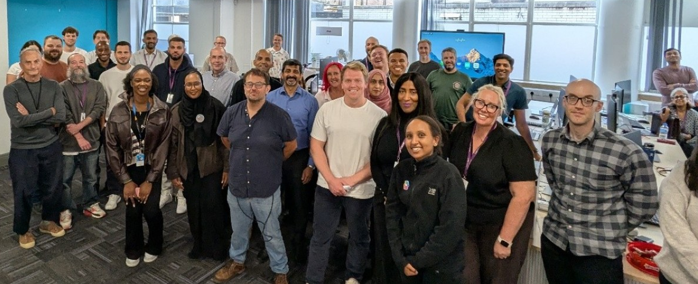
Image showing the DDaT team at our AI hackathon event.

Like

Love

Haha